How the talking pet app works
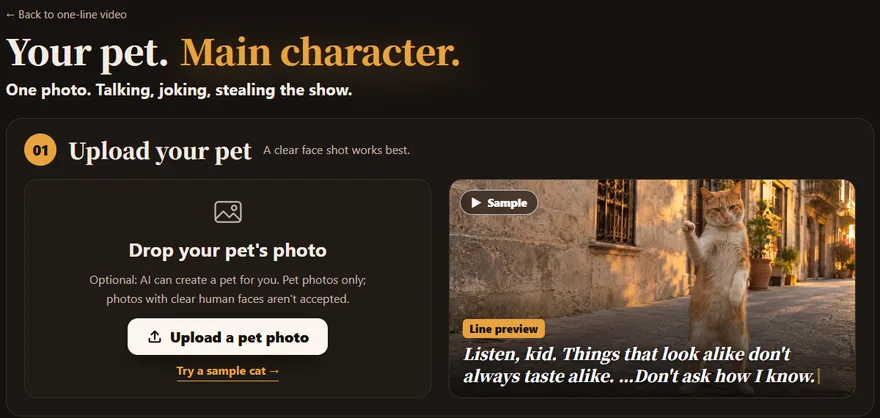
- Upload a photo. A clear shot of your pet's face works best. Dramai checks that it's an animal and notes the breed, coat and eye color, so the video keeps your pet's look. No photo? Let AI create a pet, or try the sample cat.
- Pick a moment. Start from a ready-made gag (Street sage, Total denial, Office rant, Humblebrag, Diet fail or Vet day) or describe your own in a sentence.
- Tweak the line and pick a voice. Each gag comes with a short line you can rewrite. Choose one of five voices, from a gruff old-timer to a sweet granny.
- Check, then film. You see the lines and the first frame before any video is made, along with the credits it will cost. The voice and the picture are generated together by the video model.
Talking cat video, talking dog video
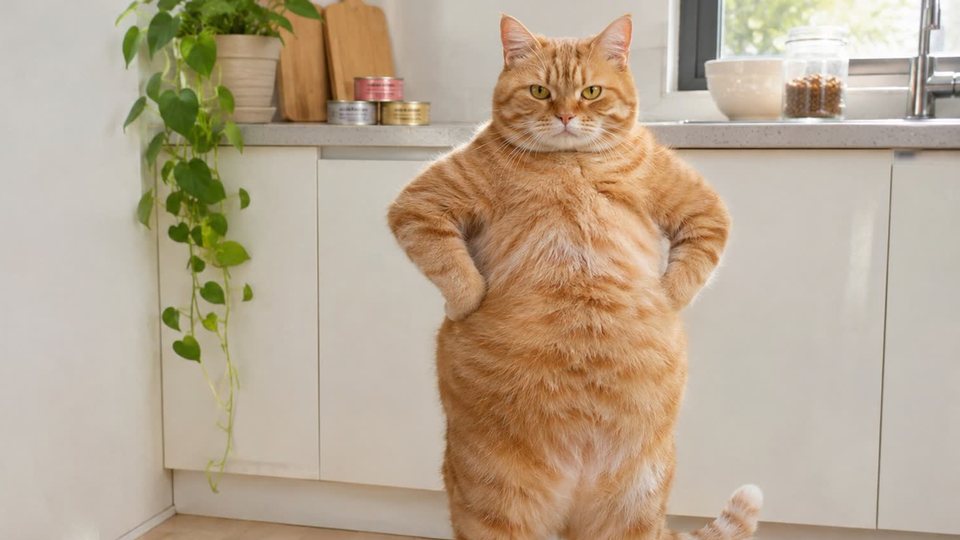
The gags are written for cats and dogs, and any clear photo of an animal is accepted. Your pet stays in one spot for one continuous shot, sitting or standing like a person, with a small prop when the joke needs one: reading glasses, a coffee mug, a tiny tie.
The result looks like a phone video of your own pet, not a cartoon. That's what makes an AI dog video or a talking cat video funny: it's clearly your dog, saying something no dog should say.
Tips for a funnier talking pet
- Keep the line short. Two to four short sentences fit in 15 seconds. The punchline lands best in the last few words.
- Play against type. A tiny kitten with a deep, gravelly voice. A huge dog with a baby voice.
- Pick a photo with eye contact. If your pet is looking at the camera in the photo, it will be looking at your viewers in the video.
Photo rules
Pet photos only: toys, drawings and landscapes aren't accepted, and neither are photos where a real person's face is clearly visible. JPG, PNG or WebP, under 10 MB.
Want a story instead?
A talking pet video is one quick joke starring your own pet. For a short film with a plot and several shots, like a cat running a café or working the night shift, see AI cat video ideas.
Common questions
- What kind of photo do I need?
- A clear photo of one pet, ideally facing the camera. Photos that clearly show a real person's face aren't accepted. You can also skip the photo and let AI create a pet.
- How long is the video?
- 10 or 15 seconds, vertical 9:16, in one continuous shot.
- How many credits does it cost?
- A 15-second talking pet video costs about 120 credits: about 108 for the video, the rest for writing and the first frame. You see the exact number before filming. New users get 200 free credits, enough for a first 15-second video.
- Can I download it?
- Yes. When it's done, download it as an MP4 from your works.